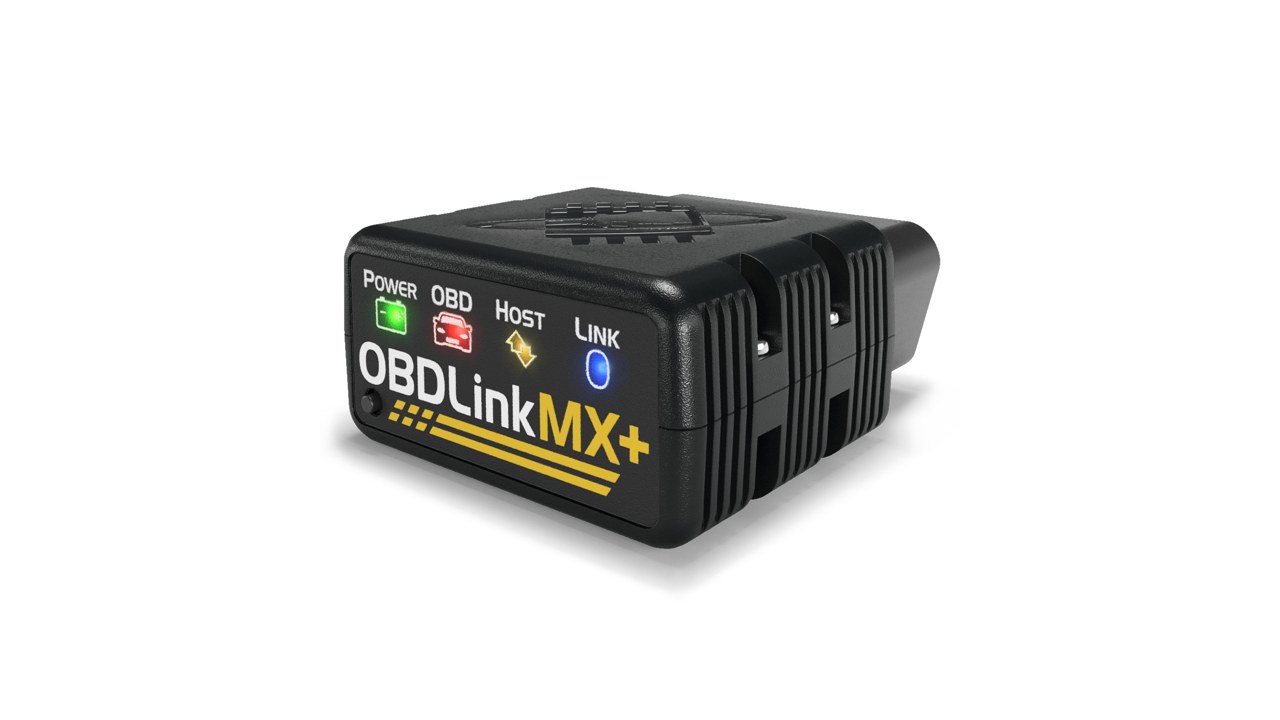
Official product image from OBDLink (source). Not our photo.
OBDLink · OBD2 Scanners
OBDLink MX+ review: 4.3/5 from the spec sheet
Fast Bluetooth 3.0 OBD-II adapter with GM SW-CAN and Ford MS-CAN access, BatterySaver sleep mode, 3-year warranty and support for iOS, Android and Windows apps.
Fits: OBD-II compliant gas/diesel vehicles (not pure EVs); enhanced diagnostics depend on the app you pair it with
View on AmazonASIN B07JFRFJG6
average of 5 criteria
Score is calculated from the manufacturer's published specifications. BaniCar has not handled this unit. Specs and availability change — verify on the listing.
Verdict
The enthusiast's adapter: fastest data, Ford/GM network access and a 3-year warranty. Skip it if you just want to read a check-engine light — a $40 wired reader does that — or if you want guided repair reports.
Pros & cons
Pros
- GM SW-CAN and Ford MS-CAN access plus Windows support
- 3-year warranty and 180-day money-back guarantee
- BatterySaver sleep mode lets it stay plugged in
Cons
- Enhanced ABS/SRS features depend on third-party apps, some of which cost extra
- Bluetooth 3.0 Class 2 is an older standard than current Bluetooth LE dongles
- No built-in repair suggestions like BlueDriver
Best for
- Ford and GM owners using FORScan or similar tools
- Data loggers and tuners who want fast refresh rates
- Owners who leave the adapter plugged in full-time
Specifications (as published by OBDLink)
| Interface | Bluetooth 3.0 Class 2 dongle; OBDLink app plus third-party apps on iOS, Android and Windows |
|---|---|
| Protocols | All legislated OBD-II protocols plus GM SW-CAN and Ford MS-CAN networks |
| Security | 128-bit data encryption; 'hacker-proof' design |
| Sleep mode | BatterySaver low-power mode, 2 mA draw |
| Updates | Free firmware updates |
| Dimensions | 1.97 in x 1.77 in x 0.91 in (50 x 45 x 23 mm) |
| Money back | 180-day unconditional money-back guarantee |
| Warranty | 3 years |
Key specs: Bluetooth 3.0 · GM SW-CAN + Ford MS-CAN · iOS/Android/Windows · 2 mA sleep mode · 3-yr warranty
Frequently asked questions
Does the MX+ work with iPhone?
Yes — OBDLink lists iOS, Android and Windows. It is an MFi-style Bluetooth 3.0 adapter, so it pairs through iOS Settings rather than only inside an app.
Will it drain my battery if I leave it plugged in?
OBDLink's BatterySaver mode drops draw to 2 mA when the car is off, and the adapter wakes when the car starts.
Does it do bidirectional tests like a shop scan tool?
No. It is a data adapter; bidirectional control needs a handheld like the Innova 5160RS. Some third-party apps add limited service functions.
Compare with
Product video
“OBDLink MX+ OBD2 Bluetooth Scan Tool and Vehicle Performance Monitor” — OBDLink on YouTube (official channel). Embedded, not hosted by us; the video is the manufacturer's marketing, not our test.
Opens Amazon.com in a new tab. Amazon price and availability are not shown here.
Sources
- OBDLink product page — OBDLink MX+ ($139.95; Bluetooth 3.0 Class 2; GM SW-CAN + Ford MS-CAN; iOS/Android/Windows; 128-bit; BatterySaver 2 mA; free firmware updates; 3-year warranty; 180-day money-back; 50x45x23 mm) (accessed Oct 16, 2026)
- Amazon listing B07JFRFJG6 — OBDLink MX+, model number MX201 (ASIN verified by opening /dp/ page) (accessed Oct 16, 2026)
- OBDLink product page
Evidence type: published specs (no hands-on). Last updated Oct 17, 2026.